
User Guide
Learn about the Pomodoro method and how to use Study Bro to optimize your learning and work productivity
What is Pomodoro?
Pomodoro is a simple time management method that helps you work and study efficiently by breaking work into 25-minute sessions called a Pomodoro. In each session, you focus completely on a single task. Then, take a 5-minute break to relax and recharge.
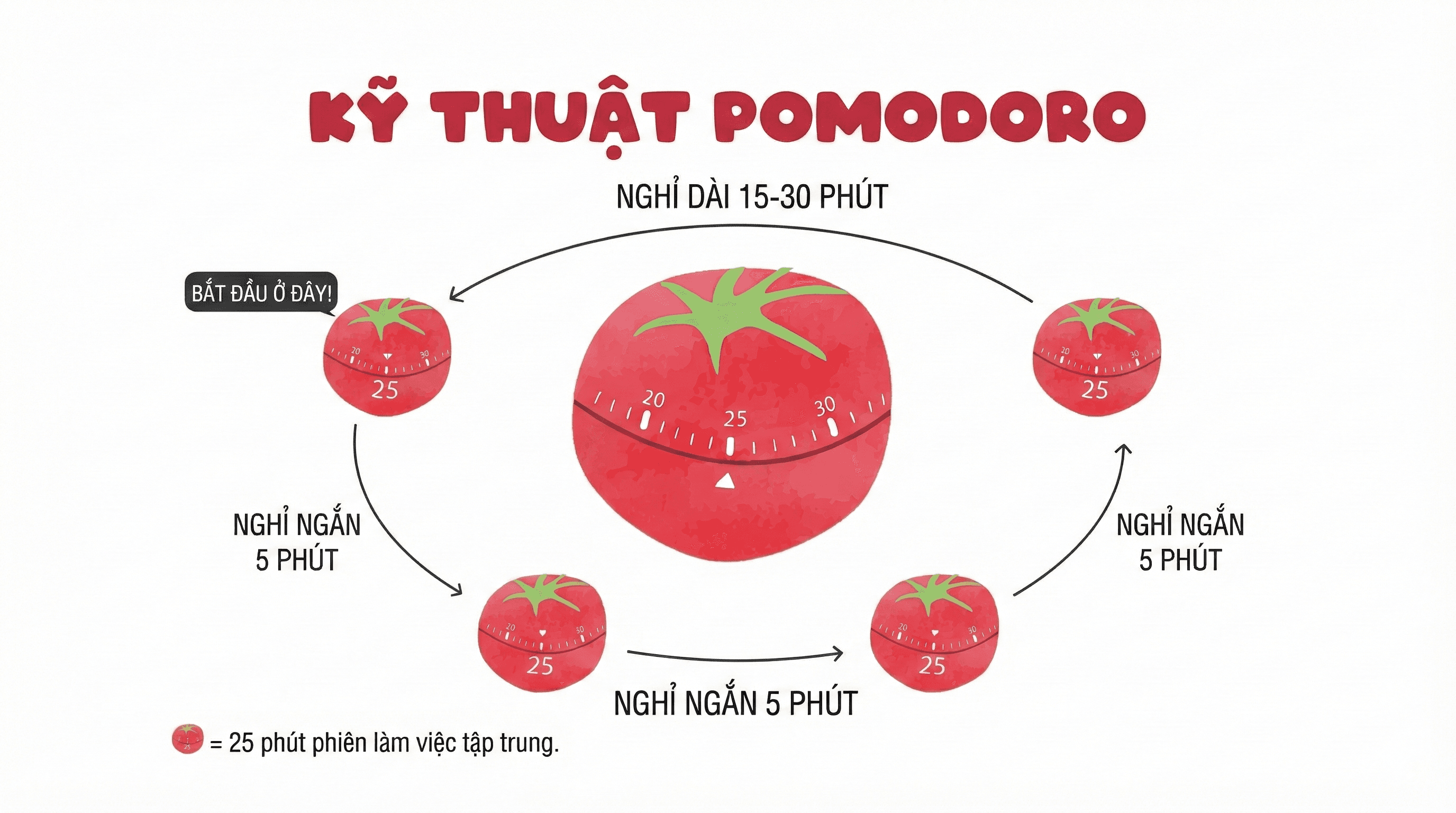
How to apply Pomodoro
Choose task & set timer
Choose a task to do and set a 25-minute timer to start the Pomodoro session.
Focus on work
Focus on work until the timer rings, without interruption.
Short break
Take a 5-minute break, you can stand up and move lightly or relax your mind.
Repeat & long break
Repeat the cycle. After 4 Pomodoro sessions, take a longer break of about 15-30 minutes.
Why use Pomodoro?
- Increase focus and work efficiency
- Avoid being overwhelmed when working long hours
- Easy to measure and manage work progress
- Suitable for those who are easily distracted
- Helps maintain energy and work efficiency in the long run
💡 Tip: You can completely adjust work and rest time to suit yourself, as long as you keep the principle of "breaking time into small chunks to focus and rest regularly."
How to use Study Bro
Study Bro provides tools to help you apply the Pomodoro method effectively.
Timer
Pomodoro countdown clock
The Timer page is the center of the app, where you:
- • Work, Short Break & Long Break modes
- • Link tasks & auto-sync Pomodoro progress
- • Valid session rule: ≥50% time to count
- • Space: Start/Pause · R: Reset · Skip session
Tasks
Manage your tasks
Tasks page helps you organize work:
- • Create, edit and delete tasks
- • Set priority and deadline
- • Filter tasks by status, date
- • Estimate required Pomodoros
History
Track your progress
History page helps you review:
- • Pomodoro session history
- • Statistics by day, week, month
- • Total working time
- • Productivity charts
Entertainment
Mini games for breaks
Relax during breaks with games:
- • Snake, 2048, Brick Breaker
- • Space Shooter, Memory Match
- • Tic Tac Toe vs AI
- • High scores tracked locally
Leaderboard
Compete & stay motivated
See how you rank:
- • Global Pomodoro rankings
- • Weekly & monthly charts
- • Build healthy competition
Focus Mode
Minimal distraction-free UI
Focus mode helps you:
- • Hide sidebar for full screen
- • Streak tracking & motivation
- • Dedicated focus workspace
Feedback
Help us improve
Settings
Customize experience
Settings page allows you to:
- • Adjust Pomodoro & break time
- • Choose background & theme
- • Set notification sounds
- • Customize personal preferences